
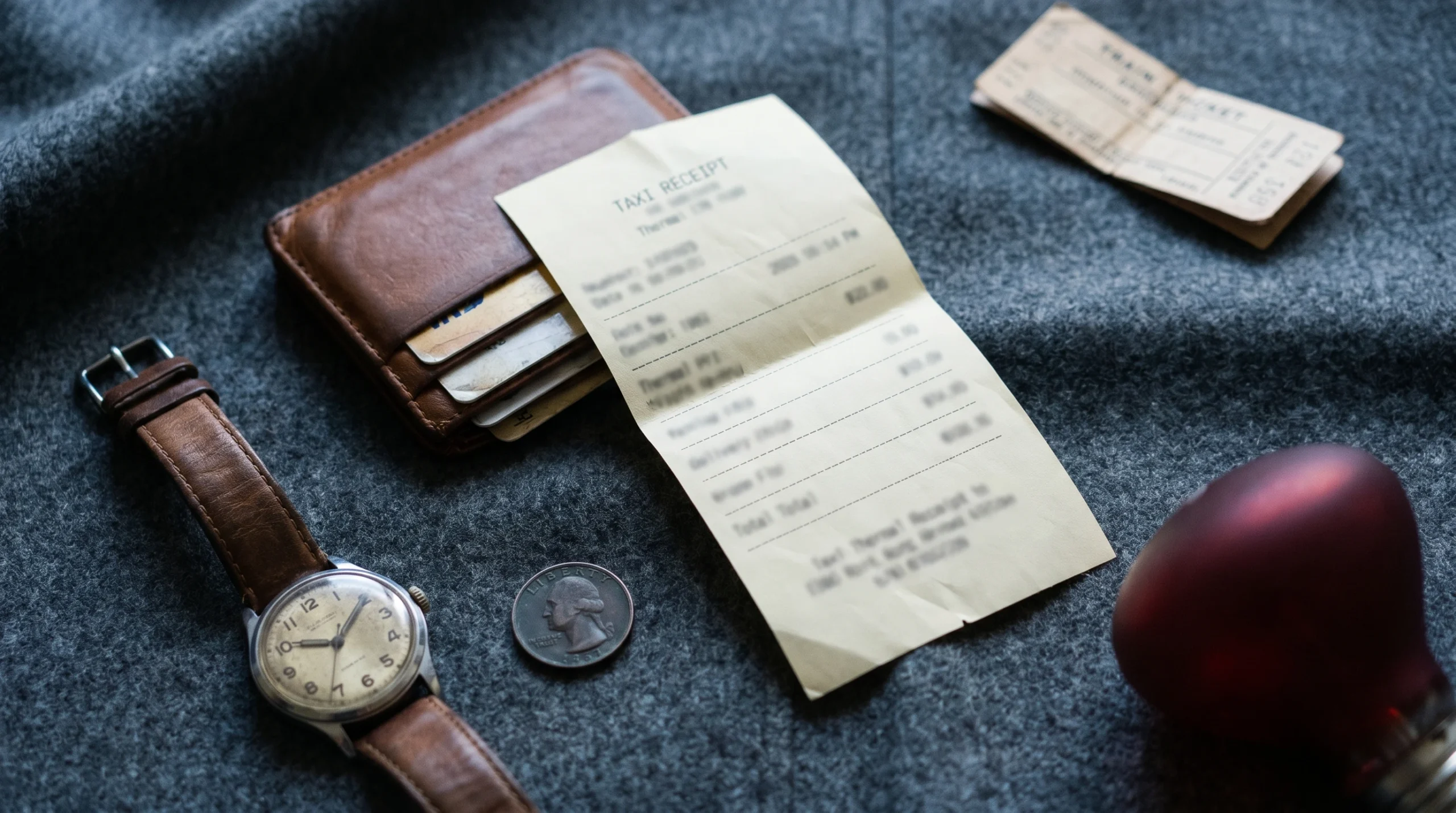
Make a realistic taxi, Uber, or Lyft receipt in under a minute — fare breakdown, distance, pickup and drop-off, driver info, payment details. Free, watermark-free, no signup. Built for replacing lost receipts, business travel reimbursement, and expense reports.
✓ Free forever ✓ No watermark ✓ Gallons or liters ✓ PDF + PNG export
Taxi Receipt Generator
Taxi receipts in 30 seconds
A taxi receipt is the document you receive after a paid ride — listing pickup and drop-off locations, distance, time, fare breakdown, and payment method. Rideshare receipts (Uber, Lyft, Bolt) follow the same structure but are delivered by email and accessible in the app’s trip history. Traditional taxi receipts are usually printed at the end of the ride from a meter or POS terminal.
The Receipt Maker tool above generates both formats instantly for legitimate purposes — replacing lost taxi receipts for expense reimbursement, building business travel records, or supporting tax deductions for self-employed transportation expenses.
What you can build with this tool
The taxi template handles every common ride scenario. Here’s what you can produce in under a minute:
- Uber receipts — UberX, UberXL, Comfort, Black, with route map placeholder, fare breakdown including base fare, distance, time, booking fee, and surge multiplier
- Lyft receipts — Standard, Lyft XL, Lux, with pickup/drop-off timeline, fare breakdown, driver photo placeholder, and trip duration
- Traditional taxi receipts — NYC medallion-style, yellow cab format, London black cab style, with meter readings and driver/medallion ID
- Airport transfer receipts — town car, executive car service format with fixed-rate pricing and driver details
- International rideshare — Bolt (Europe, Africa), Ola (India), Didi (China), Grab (Southeast Asia) with regional currency and tax structures
- Limousine and chauffeured car receipts — hourly rates, gratuity, special service charges
How to make a taxi receipt: 3 steps
- Choose the format and enter trip details. Pick whether you’re making an Uber-style, Lyft-style, or traditional taxi receipt. Enter the company name, pickup address, drop-off address, date, time, distance (in miles or km), and trip duration. For Uber and Lyft, add the driver’s first name and the vehicle make/model.
- Add the fare breakdown. Real rideshare receipts itemize the fare into separate components: base fare, distance charge, time charge, booking fee, and (if applicable) surge multiplier. Add each as a separate line item. Traditional taxis typically show base fare, distance/meter charge, time charge, and any tolls.
- Set tax, tip, and download. Most US states don’t charge sales tax on transportation, but some cities add ride fees ($0.30–$2.75 in NYC, surcharge in Chicago, congestion fees in some markets). Add tip if applicable (rideshare default is 15–20%). Choose payment method — credit card on file is standard for Uber/Lyft — then click Download PDF, Download PNG, or Print.
What goes on a real ride receipt
The fields differ slightly between rideshare and traditional taxi receipts. Here’s what each format includes:
| Section | Uber / Lyft format | Traditional taxi format |
|---|---|---|
| Header | Company logo, trip date and time, “Thanks for riding” message | Cab company name, address, phone, medallion or license number |
| Trip info | Pickup address, pickup time, drop-off address, drop-off time, route map placeholder | Pickup and drop-off addresses, time on, time off, total minutes |
| Driver info | Driver’s first name, photo, vehicle make/model, license plate, rating | Driver name, driver ID/license number, vehicle number |
| Distance | Miles or kilometers traveled, trip duration in minutes | Meter miles, meter time, total fare from meter |
| Fare breakdown | Base fare, distance charge, time charge, booking fee, surge multiplier, tolls, tax | Base fare, distance, time, surcharges (rush hour, airport, peak) |
| Payment | Card last 4, payment method, tip, total charged | Cash or card, last 4 if card, tip, total paid |
| Footer | Trip ID, support link, “Rate your driver” message | Driver signature line, customer copy notation |
When you actually need this tool
1. Replacing a lost rideshare or taxi receipt
You took an Uber to a client meeting, expensed it, and your finance team can’t find the receipt in your expense report attachments. Uber and Lyft receipts are emailed automatically and stored in the app’s trip history forever — but if your expense system requires a PDF you can’t generate from your phone, or if the original email was deleted before backup, recreating the receipt with the actual amount, date, and route is reasonable bookkeeping practice. According to the IRS (Publication 463), transportation expenses must be substantiated with records showing amount, date, and business purpose — your card statement plus a reconstructed receipt covers all three.
2. Self-employed transportation deductions
If you use Uber, Lyft, or taxis for business travel as a self-employed person, those rides are deductible business expenses. You need itemized receipts to substantiate the deduction. The Uber and Lyft apps export trip history, but if you’ve been using rides across multiple accounts (personal and business mixed), reconstructing the business-only receipts is common.
3. Corporate Uber for Business and Lyft Business
If you use Uber for Business or Lyft Business, your rides are billed to your company directly — but reimbursement programs vary. Some companies require employees to upload individual ride receipts even when the corporate account paid the fare. If you’ve lost the email confirmations, regenerating them is standard practice.
4. Travel insurance trip interruption claims
Trip insurance often covers ground transportation when a flight is delayed or canceled and you need to take a taxi or Uber. Insurers want documentation. If you’ve already discarded the receipt, recreating it from your card statement is reasonable claim substantiation.
5. Rideshare and mobility software testing
If you’re building a rideshare aggregator, an expense management app, an OCR receipt scanner, or a corporate travel platform, you need realistic Uber and Lyft receipts to test parsing, integrations, and screenshot mockups. The Receipt Maker tool generates clean test receipts without requiring real trip data.
6. Film, theater, and design props
A taxi receipt in a wallet or an Uber email screenshot in a phone scene sells the visual. Productions need realistic props that don’t expose actual personal data.
Uber vs. Lyft vs. traditional taxi — fare structure differences
Each ride type prices differently. Getting the fare breakdown right is the #1 difference between a believable receipt and an obvious fake.
Uber fare breakdown
Uber receipts typically show:
- Base fare — usually $1.50–$3.00 in most US markets
- Distance charge — per-mile rate × miles traveled (typically $1.00–$2.50/mile)
- Time charge — per-minute rate × minutes (typically $0.20–$0.40/minute)
- Booking fee — $2.50–$3.00 fixed, often called a “service fee”
- Surge multiplier — when active, applied to base + distance + time (1.2× to 3.0× typical)
- Tolls — automatic if route used a toll road
- Tip — added after the ride, in app
Lyft fare breakdown
Lyft uses a similar structure with slightly different naming. The base fare, distance, time, and service fee components are the same, but Lyft historically used “Prime Time” instead of “surge” (though they’ve largely converged on “surge” terminology now).
Traditional taxi fare structure
NYC yellow cab as a benchmark (other cities vary):
- Base fare: $3.00 on entry
- Distance: $0.70 per 1/5 mile (essentially $3.50/mile)
- Slow traffic / waiting: $0.70 per 60 seconds
- Rush hour surcharge: $1.00 (4 PM – 8 PM weekdays)
- Overnight surcharge: $0.50 (8 PM – 6 AM)
- MTA tax: $0.50
- Improvement surcharge: $0.30
- Congestion surcharge: $2.50 (Manhattan below 96th Street)
Realistic ride receipt examples
Uber-style receipt (mid-distance, no surge)
Uber

Total                       $24.83

May 6, 2026  ·  14:32

Pickup    1240 Broadway, NYC
          14:32
Drop-off  Penn Station
          14:48

Distance: 4.2 miles
Time: 16 min

UberX  ·  Driver: Marcus
Toyota Camry  ·  ABC-1234

Trip fare              $19.50
  Base fare       $3.00
  Distance        $9.45
  Time            $4.05
  Booking fee     $3.00
Tolls                   $0.00
NYC fees                $2.83
Tip                     $2.50
                       ------
Total                  $24.83

Payment: Visa ····4242
Trip ID: 8af72e91-2c4d
Lyft-style receipt (with tip)
Lyft

Your trip with Sarah

May 6, 2026  ·  Trip ID 4827193

Pickup    Logan Airport
          09:14 AM
Drop-off  Boston, MA 02110
          09:42 AM

Distance: 7.8 miles
Duration: 28 min

Lyft Standard  ·  Honda Civic

Lyft fare              $24.40
  Base                  $1.50
  Distance              $14.62
  Time                  $5.04
  Service fee           $3.24
Tip                     $5.00
                       ------
Total                  $29.40

Charged to Visa ····8821
Traditional NYC taxi receipt
NYC TAXI & LIMOUSINE COMMISSION
City Cab Co. — Medallion 4A82
Driver: Robert M.  License: 5582914

Trip 4421-A
Date: 05/06/2026

Time on:  18:14
Time off: 18:42
Total:    28 min

Pickup:  Times Square
Dropoff: 312 W 14th St

Meter miles:        4.20

Base fare              $3.00
Distance              $14.70
Time                   $6.00
Rush hour surcharge    $1.00
MTA state tax          $0.50
Improvement fee        $0.30
Congestion surcharge   $2.50
                      ------
Total fare            $28.00
Tip                    $5.00
                      ======
TOTAL                 $33.00

VISA ****4242
Tips for making your receipt look authentic
- Match fare math. If the receipt says 4.2 miles at $2.25/mile, the distance line must be $9.45 (rounded). Math errors are the fastest tell.
- Use real addresses. Pickup and drop-off addresses should be real NYC, Boston, LA, etc. addresses. Generic “123 Main St” doesn’t pass any visual check.
- Include a trip ID. Uber trip IDs are UUIDs (e.g., 8af72e91-2c4d-4f1a-9c8d). Lyft trip IDs are typically 7–9 digit numbers. Don’t make up a generic 123456.
- Match driver name to platform conventions. Uber and Lyft show only first name + last initial. Traditional taxis often show first name and last name.
- Add the booking/service fee. Both Uber and Lyft charge a $2–$3 booking fee on every ride. Receipts without one don’t match the actual platform output.
- Use realistic surge. Surge multipliers are typically 1.2× to 1.8× during normal demand spikes; 2.0× to 3.0× during major events. A 5× surge is unusual and looks suspicious.
- Match payment method to platform. Uber and Lyft only accept card, PayPal, Apple Pay, Google Pay (no cash). A traditional taxi can be cash. A cash Uber receipt is impossible.
Privacy: how Receipt Maker handles your data
Everything you type into the tool runs in your browser. The trip details, addresses, fare amounts, your card last-4 — none of it touches our servers. We don’t see your receipts, we don’t store them, we don’t transmit them anywhere. When you close the browser tab, your work disappears (unless you choose to save it locally with the auto-save feature).
Read our full privacy policy for details on cookies, analytics, and ads.
For legitimate use only
The Receipt Maker tool is intended for legal purposes — replacing lost receipts (with employer or insurer knowledge), business travel expense tracking, bookkeeping, software testing, and creative or design projects. Submitting fabricated taxi or rideshare receipts to defraud an employer’s expense reimbursement program, a tax authority, or an insurance company is illegal in most jurisdictions and is strictly prohibited under our Terms of Service and Disclaimer. You assume full responsibility for how you use the receipts you generate.
Frequently asked questions
Can I create both Uber and Lyft style receipts with this tool?
Yes. The taxi/rideshare template includes formatting for Uber-style receipts (with map placeholder, booking fee, surge multiplier), Lyft-style receipts (with timeline, service fee), and traditional taxi receipts (with meter readings, medallion number, surcharges). Edit the company name, layout fields, and fare structure to match the format you need.
How do I add surge or Prime Time pricing?
Add the surge as a separate line item or apply it as a multiplier on the base fare and distance lines. For example, if the base fare is $3 and distance is $9.45 at a 1.5× surge, the receipt should show “Base fare $4.50” and “Distance $14.18” reflecting the surge applied. Real Uber receipts often show the surge as part of the trip subtotal rather than as a separate line, but newer formats list it explicitly.
Should the receipt include sales tax?
It depends on the city. Most US states don’t charge sales tax on rides, but some cities add specific fees: NYC adds $2.50 congestion surcharge in Manhattan plus $0.50 state tax and $0.30 improvement surcharge. Chicago has a $1.13 ground transportation tax. London adds 20% VAT. Check the city’s transportation authority for current fees. The tool’s tax field handles general percentages; for fixed per-trip fees, add them as separate line items.
Can I include a route map on the receipt?
The tool generates a placeholder for the route map area, since real Uber and Lyft receipts include a small map image of the route. The tool itself doesn’t generate route maps — but for expense report purposes, the addresses, distance, and time fields are usually sufficient documentation.
What’s the difference between a taxi receipt and a rideshare receipt?
Traditional taxi receipts are printed at the end of the ride from a meter or POS terminal, include medallion/license numbers, and can be paid in cash. Rideshare receipts (Uber, Lyft, Bolt) are emailed automatically, accessible in the app’s trip history, and only support card or digital wallet payment. The Receipt Maker tool builds both — the structural fields are similar but the formatting and required fields differ.
What payment methods should I show?
Uber and Lyft only accept: credit/debit card, PayPal, Apple Pay, Google Pay, or platform credits. They do not accept cash. Traditional taxis accept cash, credit card, or sometimes Apple Pay. If you’re matching a specific format, make sure the payment method matches what that platform actually supports.
Will my receipt have a watermark?
No. Every export from Receipt Maker — PDF, PNG, JPEG, or printed — is watermark-free. We don’t gate this behind a paywall or signup.
Is it legal to use a taxi receipt generator?
Using a receipt generator is legal for replacing lost receipts (with employer or insurer knowledge), tracking business travel expenses, bookkeeping, software testing, and design work. Submitting fabricated rideshare or taxi receipts to defraud an employer’s expense program, a tax authority, or an insurance company is a criminal offense and is strictly prohibited under our terms of service. Read our detailed legal explainer at is it legal to use a fake receipt generator.
What format are Uber trip IDs?
Uber trip IDs are UUIDs — 36-character strings in the format “8af72e91-2c4d-4f1a-9c8d-b3e2f4a5c6d7” (8-4-4-4-12 hex characters with dashes). For receipt realism, use a partial UUID like “8af72e91-2c4d” rather than a generic number. Lyft trip IDs are typically 7–9 digit numbers.
Can I save my receipt and edit it later?
The tool auto-saves your work to your browser’s local storage, so if you close the tab and come back later, your last receipt is still there. There’s no account or signup needed. To start fresh, click the “Reset” button.
What file formats can I download?
You can download as PDF (print-ready), PNG (high-resolution image with transparent background option), or JPEG (compressed for smaller file sizes). You can also use your browser’s print function to send the receipt directly to a printer.
Other receipt tools
If you need a different receipt format, browse our other generators:
- Restaurant receipt generator — itemized food, server name, table number, gratuity
- Gas station receipt generator — fuel type, gallons, pump number, station info
- Grocery receipt generator — long itemization, loyalty points, savings summary
- Hotel receipt generator — check-in/out dates, room rate, resort fees
- Parking receipt generator — entry/exit times, lot name, duration
- All receipt makers →
About this guide
Written by Ashir Ali, founder of Receipt Maker. Ashir is an AI engineer with a background in software engineering and several years of experience building tools and content for small business operators. The Receipt Maker tool was built to be the fastest, cleanest, no-watermark option for legitimate receipt-generation tasks. Last reviewed: 6 May 2026.